Practice a real exchange.
Work through authored conversations with a partner’s lines and your replies. Choose an answer, type, or speak. Replay the partner and use translation support when you need it.
Learn & speak / Speaking & conversations
Turn words you recognize into words you can say. Practice guided exchanges, repeat a phrase, and try a reply with as much support as you need.
Try Loquus in beta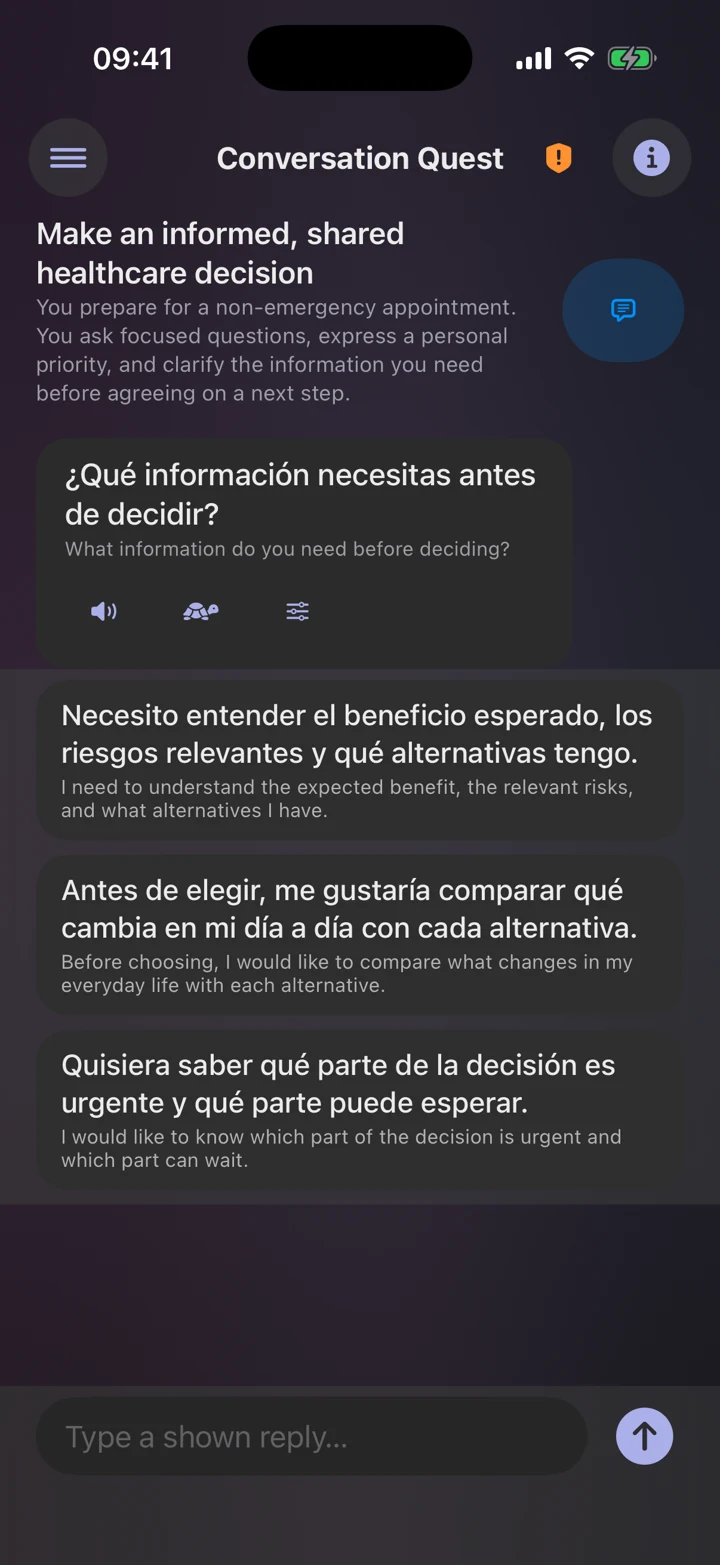
Work through authored conversations with a partner’s lines and your replies. Choose an answer, type, or speak. Replay the partner and use translation support when you need it.
Practice learned words in Speaking and whole phrases in supported lessons. See what the speech recognizer heard, then retry or move to another word.
Use normal or slower playback, with adjustable speeds for both. Choose from installed regional voices for your course and listen to a sample before you decide.
A little support goes a long way
Conversation practice lets you work with the language you’ve learned. In the Plus Arcade’s Conversation Quest, try replying from memory, then reveal choices if you need a hand.
Learning Spanish? Supported multisyllabic words offer “Hear syllables,” so you can hear the beats and then the whole word.
Explore conversation gamesOn iOS, supported speech recognition runs on your device. It checks recognized words against the exercise. It does not grade your accent. Device and language support vary, and speech models may need an initial download. You can keep learning when speaking isn’t convenient.
Read the privacy policyYes. Speaking in the Practice tab, where you say words you’ve learned, is part of free access, and guided conversations come up in regular course lessons, more often with the Talk First practice mix. Conversation Quest in the Arcade requires Loquus Plus.
On iPhone and iPad, no. Speech recognition runs on your device, and your voice is never recorded, saved, or sent anywhere, including to Loquus. You can decline microphone access and still use the rest of the app.
It needs microphone access, speech recognition for your course language, and words you’ve already learned, so take a lesson first. On iPhone and iPad, recognition runs only on your device, so if it isn’t ready for your language, Loquus tells you instead of sending your voice to a server.
Loquus speaks with the voices installed on your device, and a basic voice can sound flat. On iPhone and iPad, open Voice in the Practice tab to hear your current voice, switch to another installed voice, or follow the steps to download a free Enhanced or Premium voice.
14 languages. Your next step.
Follow our guide to install Loquus and start learning.